
Blog

Recent posts
SEARCH RESULTS FOR: Design Order
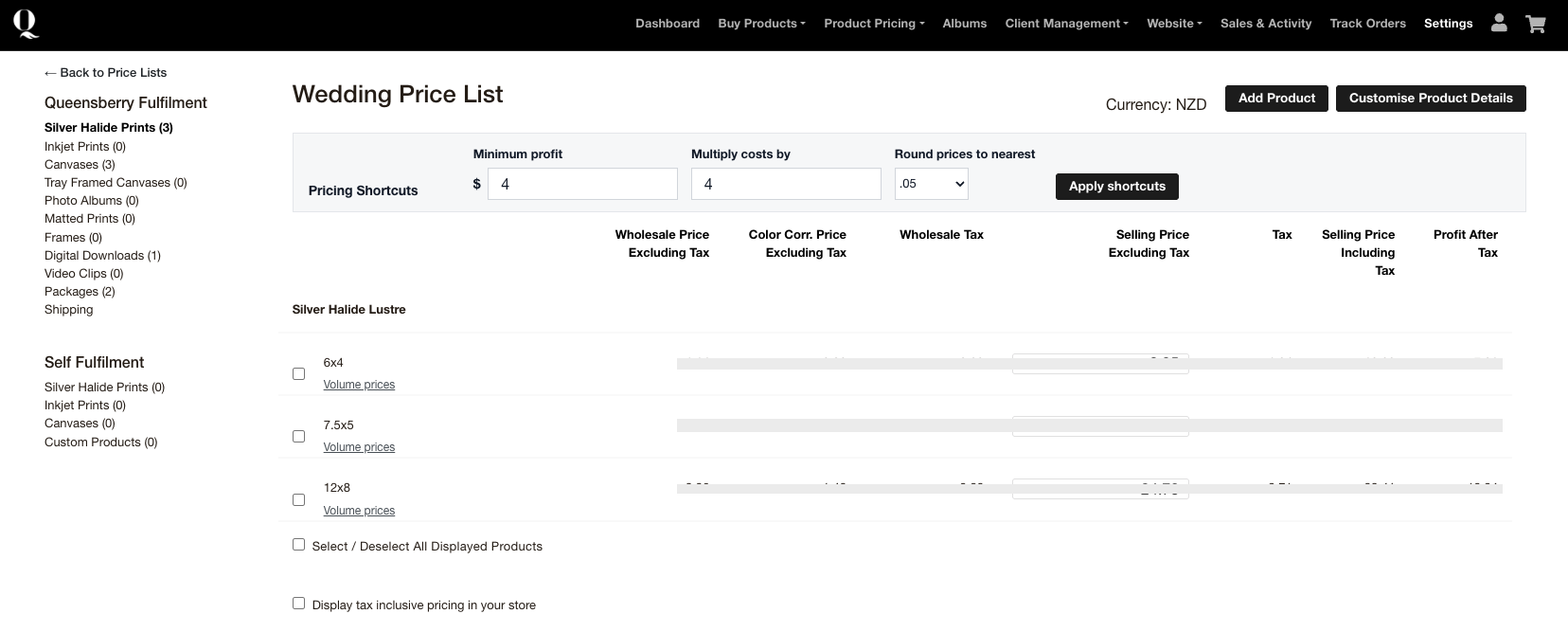
Wedding and portrait clients often want more than one photograph from their gallery. Workspace volume pricing lets you reward those larger orders while still allowing the client to choose different photographs. How volume pricing works You can set up to two quantity breaks for eligible loose prints. For example, you might offer one price when a client orders five or more prints and another when they order ten or more. The exact quantities and prices are up to you. The photographs do not need to be identical. Prints count towards the same quantity break when their product size and paper or finish To View More >>
This entry was posted in Updates by Alexandria Baugh
We very rarely share the positive reviews we receive from our clients but the other day we received a pretty special one from one of our new Print Shop users, Damien Lovegrove. He's a "go for it" guy who'd launched his store within a week of deciding to use Print Shop, and within days of that made his first large format canvas sale. We're sharing his review for two reasons: It offers great advice for anyone starting out — why he chose the platform, and the challenges he faced when setting it up. If you're already using Print Shop we'd love your thoughts over on the insider about what features To View More >>
This entry was posted in Stories by Alexandria Baugh

We've made changes to the Workspace Client Gallery setting "Viewers must register" after some great feedback in our Facebook group, The Insider. Until now if you turned on the "Viewers must register" gallery setting, visitors had to create an "account" before they could view a gallery. The setting was optional, and its purpose was to track who was viewing your galleries and to collect their email addresses. This change will make it easier for people to get access while still allowing you to collect those addresses. Here's what we have done We've replaced the original setting with "Require Email To View More >>
This entry was posted in Product Updates by Alexandria Baugh
We're delighted to announce that we're introducing Stripe as an alternative Workspace payment platform, alongside PayPal. Introducing Stripe means you can now activate a standard credit card form at checkout, and also get your payouts faster. However the two platforms interact with Workspace quite differently, and it's important to understand how… Stripe and PayPal are: — How you pay for your wholesale purchases from Queensberry. — How your clients pay for purchases in your retail shopping cart. — How Workspace pays you the profits To View More >>
This entry was posted in Product Updates by Ian Baugh
When's the right time for a promotion? Certainly for the holidays — so your clients can have their beautiful printed products under the tree for Christmas. The ultimate in personal gifts! Or when the wedding season's over — and you have time to chase past clients who're still dilly-dallying about their album. And for what purpose? Maybe to turn your social media audience into paying customers. Or lapsed enquiries into future business. Or past customers into repeat business! But once you've defined your goal, what's involved? This is our take on it, but of course To View More >>
This entry was posted in Marketing by Alexandria Baugh

We’re very excited to announce that our online Client Galleries in Workspace have had a face lift, and boy do they look good! We’ve released four new gallery styles, including a video option. Each can be further personalised to suit your taste and style by very easily changing fonts and other elements. Please do check them out and let us know what you think. Client Gallery Option 1: Simplicity Simplicity is an upgrade of our current "Standard" gallery style. We've worked to refine the font selections and sizes to give this gallery a more modern feel. To View More >>
This entry was posted in Product Updates by Alexandria Baugh

Beautiful delivery at every step... We've been rolling out updates to the automated emails that Workspace sends out when you share online galleries with your clients, when your client requests image downloads, or when your client places an order from these galleries. When your clients' image galleries are ready to view Once a gallery is set up to your liking you can share the gallery with your client. Your client will receive a beautiful automated email using the template above, which invites them to view their images. The cover image for the collection you’re To View More >>
This entry was posted in by Alexandria Baugh

If you heven't logged into Workspace for a while you may be surprised next time by a very different looking platform. That’s because our December upgrade has now been rolled out. Here's what we've done. Interface upgrade (updated, simpler, more intuitive) Although much of what we've done in this upgrade is "behind the scenes", we’ve also worked hard on the user interface. We've gone for a cleaner, more contemporary look, refined things to keep pace with evolving web design standards, and repositioned and relabelled buttons and other calls To View More >>
This entry was posted in by Alexandria Baugh
Our new Online Album Designer is a great on the go resource that makes designing and editing books and albums quick and easy. Today we show you how you to swap images around in the design. To switch images on the same layout: Drag and drop one image over the other. They will change places. To switch an image with another on a different layout: Click one of the images you want to switch and drag it to the side of the screen, which will allow you to scroll through the layouts. When you get to the layout you want, drag the image you're moving over the image To View More >>
This entry was posted in by Alexandria Baugh

Some Workspace users have more than one account (separate brands for their wedding and portrait businesses, for example). Some busy studios have several people working in the same Workspace account (photographers, designers, sales people, for example). And some users do work for the owners of multiple Workspace accounts (album designers, editors, site managers, for example). In all those scenarios the Workspace Accounts and Users function makes life very easy. Save 40% on your annual Workspace subscription. Just quote WS40 when subscribing or updating. To View More >>
This entry was posted in by Victoria Hollings


